
iter0
Back to templates

Services

Plumber Website

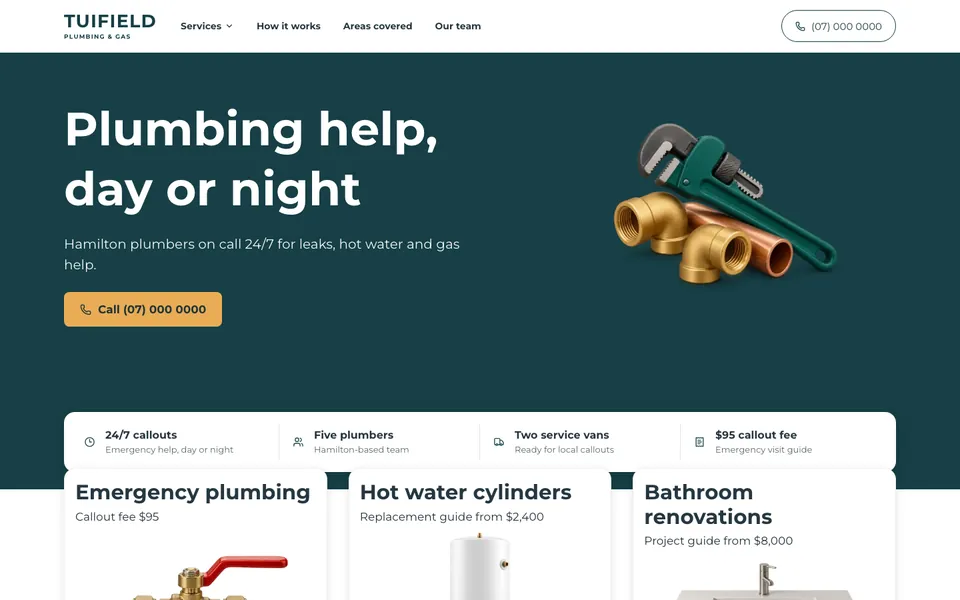
A clean, phone-first trades template with a tap-to-call button on the first screen, six services with starting prices, the suburbs covered, a three-step callout guide and a quote request with photo upload.

Best for

plumbers, gas fitters, electricians, drainlayers, heating engineers and any trade that takes urgent calls

Start with this visual direction, then adapt the content to your business in the builder.

Use this template

Page flow

A clear path through the product story

The phone number sits in the header and on a large call button beside the headline. Four facts about the team follow, then six service cards with a starting price each, the suburbs you cover, a three-step guide to a callout, what customers can count on and a quote request form with an optional photo.

What it communicates

Why this structure works

Most people look for a plumber when something has already gone wrong. The page puts the number and a call button where a worried visitor sees them first, then shows prices and coverage for those who can wait for a quote.

How to adapt it

Make it about your business

  1. Put your own phone number in the header, the call button and the footer, and test each link from a phone.
  2. Change the six services and starting prices to the work you do and the prices you charge.
  3. List the suburbs and towns you cover, and replace the photos with your own team and vans.
  4. Connect the quote form to an inbox you check, and say how quickly you reply.

What to bring

Prepare these before you build

  • Your phone number and the hours you answer it
  • The services you offer with a callout fee or starting price for each
  • The suburbs and towns you cover
  • Photos of your team, vans and finished work
  • Your licence and guarantee details

The template sets the visual direction. Your own business details, brand, images and proof supply the content.

Plumber Website template questions

What should a plumber's website include?

Customers want your phone number, what you fix, what it roughly costs and whether you cover their suburb. This template puts the number and a call button on the first screen, then lists six services with starting prices, the suburbs you cover, how a callout works and a quote form. Keep the prices current.

Can customers call straight from the page?

Yes. The header number and the main button are tap-to-call links, so a visitor on a phone can ring you with one tap. Replace the sample number with your own and test it from your phone before the page goes live.

Does this layout work for other trades?

Yes. Electricians, gas fitters, drainlayers and heating engineers can rename the services, change the prices and keep the same order. Swap the product photos for your own equipment and keep the call button where it is, because urgent customers on any trade look for it first.