Website cloning
Rebuild a public page you have the right to use.
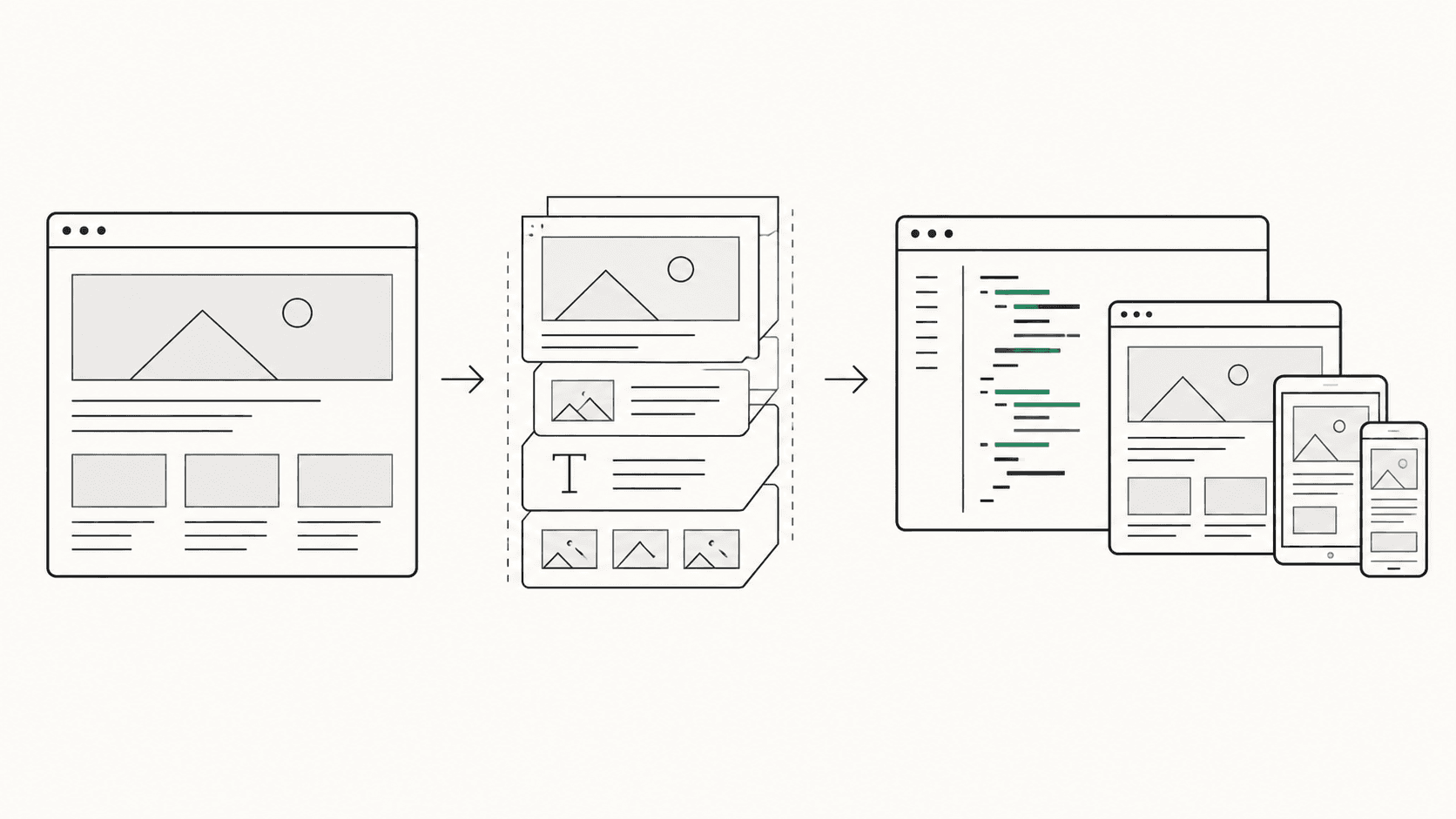
If the original files are gone, a live page can still be a useful starting point. Give iter0 a public URL you own or are authorised to reproduce. It uses the visible page and available source evidence to build an editable HTML draft.
Choose Clone in Bring a Site to start from your URL.
From live URL to editable draft.
The reference is evidence of what visitors can see, not a copy of the site's private code.
- 01
Provide an authorised URL
Use a public page you own or have permission to reproduce. A login-only or blocked page will not give the builder a usable view.
- 02
Inspect the first draft
Compare the visible structure, copy, imagery, and spacing with the original at desktop and mobile sizes. Flag what capture missed.
- 03
Edit before publishing
Replace identity, claims, links, and calls to action where needed. Check the HTML, responsive layout, and live interactions yourself.
What the URL can and cannot give you.
A clone is a reconstruction of a page, not recovery of the system behind it.
Useful evidence
The page shows its layout, typography, visible content, and what happens at the captured viewport. That is enough to make an editable starting point when you need to revive an old campaign page or move away from a closed builder.
Things to rebuild separately
A public URL does not expose your original source files, database, form delivery, payments, analytics, or every state of an interactive component. Check each of these before treating the result as a replacement site.
Review the result before publishing.
The part worth keeping is the page you can now inspect, not an unexamined copy of its old mistakes.
Say your team owns a campaign page, but the previous agency handed over only its live URL. Clone gives you a way to reconstruct the visible page as an editable draft. It does not reconnect the enquiry form or recover the old analytics. Those are separate launch tasks.
Check the page at phone and desktop widths. Read every claim, click every link, test forms and keyboard navigation, and confirm that you can use the images and fonts. If the original page has changed hands, remove its logos, testimonials, and other identity before you publish.
If you want the design direction of another site but need a page for your own business, use AI website redesign instead. If your only reference is a screenshot, use image to HTML; a screenshot cannot show the off-screen content or true responsive rules either.
Website cloning FAQ
What does the iter0 website cloning workflow produce?
It rebuilds an authorised public page as editable HTML and CSS in the iter0 builder, using rendered and source evidence from the URL.
Can iter0 clone any website?
Use only public pages you own or are authorised to use. Access restrictions, complex application behaviour, protected assets, and dynamic states can limit what can be reconstructed.
Is a website clone ready to publish under my brand?
Not automatically. Replace the reference brand, messaging, proof, imagery, and calls to action, then review rights, accessibility, responsiveness, forms, and links.
What is the difference between Clone and Extract + Design?
Clone targets close reconstruction of an authorised page. Extract + Design separates visual reference from your content source to create an original customer-safe page.