
Claude Code skill not triggering? Check discovery before rewriting
Find which stage failed before changing a skill. Includes a downloadable worksheet for discovery, invocation and output checks.

4 min read
In this note
Find the failed stage
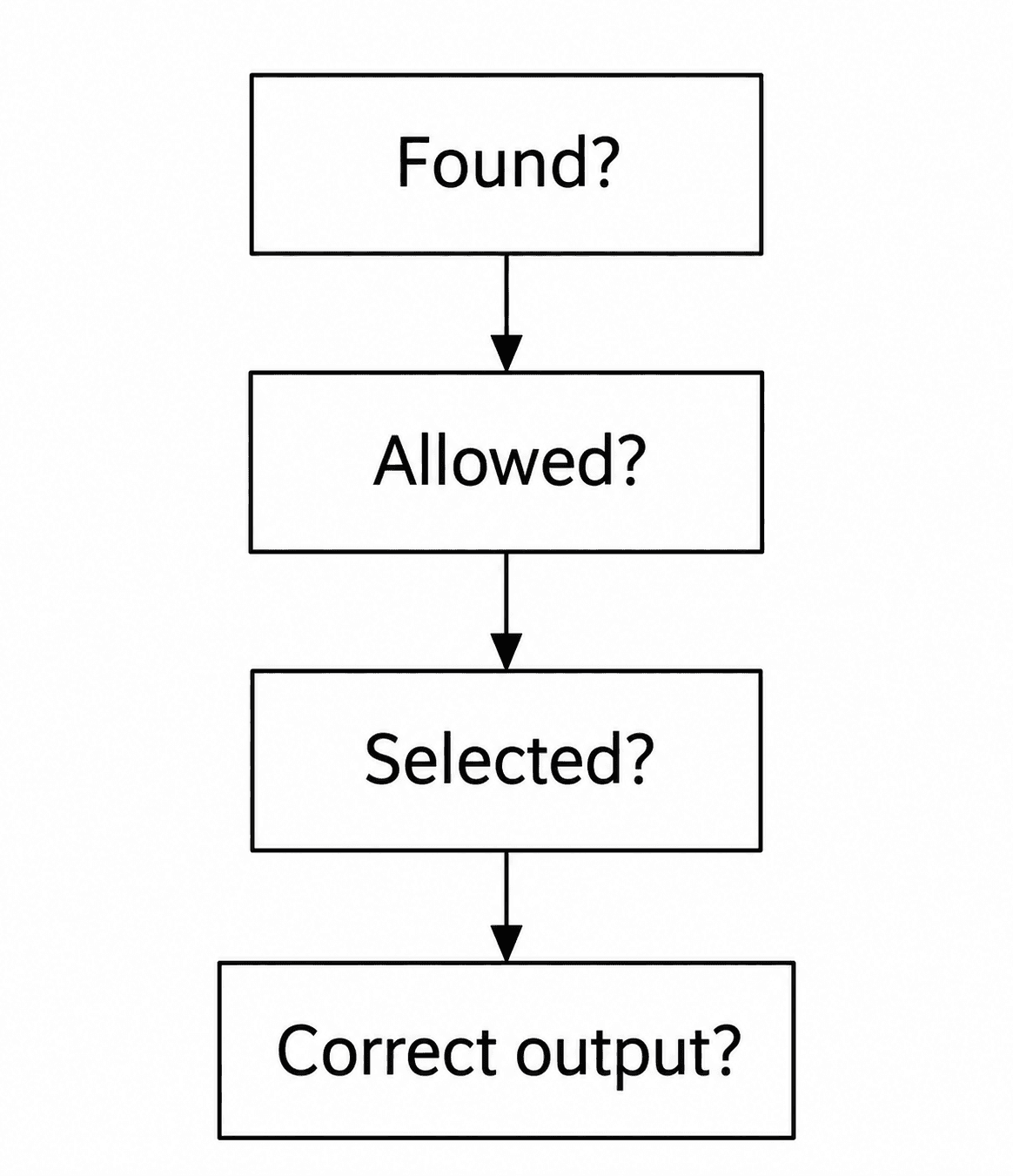
When a Claude Code skill does not trigger, first establish whether the session can find it. Then check whether automatic invocation is allowed, whether its description fits the request, and whether the instructions produce the intended result.
Those are different failures. Rewriting the description cannot help a session that never discovered the file. Adding more workflow steps cannot resolve a setting that makes the skill manual-only. Diagnose the stage before changing the content.
Confirm that the current session knows the skill
Use Claude Code's skill listing to check whether the expected skill is available. Inspect the file that supplies it, its installation scope and the project in which the session is running. A file in one project does not establish availability in another.
Check the exact filename and valid frontmatter. Follow the current client documentation for personal, project, plugin or cloud installations; their loading rules differ. If you changed the installation, confirm what the current session actually loaded rather than assuming that a saved file is already active.
Keep the diagnosis specific: record the skill's name, location and whether it appears in the listing. This gives the next check a definite starting point.
Separate manual invocation from automatic selection
Try invoking the skill directly. If that works but an ordinary request does not select it, the file can be available even though automatic selection is not happening.
Claude Code documents disable-model-invocation as a control for automatic invocation. A user-only skill is meant to be called directly. Inspect that setting before changing it: manual invocation may be deliberate for a workflow with external effects.
Direct invocation is a diagnostic probe, not proof that the description is effective. Keep the direct and natural-language tests separate in your notes.
Describe the task people actually request
If the skill is available and automatic invocation is allowed, review the description against real requests. Name the action, the object of the work and the situation in which it applies.
For a website review, “design helper” leaves the task unclear. A description that names rendered pages, mobile layouts and review requests provides more specific context. Keep the description faithful to the actual skill. Adding unrelated trigger words can cause it to appear when it has no useful job.
Do not assume a single wording change fixes selection across every request. Try several ordinary phrasings and a nearby request that should stay outside the skill. Change one part at a time so the comparison remains useful.
Intended request:
Review the mobile layout of this pricing page.

Another phrasing:
Check whether this page works on a phone.

Outside this skill's scope:
Explain our database backup policy.
Check execution after selection
A selected skill can still return the wrong kind of result. It may inspect source code when the task requires a browser, skip a condition, or report success without examining the delivered page.
Test output quality separately. Define what a useful result should contain before running the task. For a visual review, that could mean the page and widths inspected, concrete findings, and any states that remain unchecked. Judge the result against those requirements rather than the fact that the skill ran.
The Agent Skills evaluation guide addresses output evaluation. Treat your own examples as tests with limited coverage, not evidence of a universal success rate.
Keep a small, repeatable test set
Use the worksheet below to record discovery, invocation settings, the request and the observed result. Run the same requests after a change. Keep the client version and relevant configuration in the record so a later difference has context.
Include a normal case, a paraphrase, a missing-input case and an out-of-scope case. These serve different purposes. The normal case checks the intended path; the missing-input case checks what happens when the task cannot yet be completed.
This worksheet is a testing guide, not an installable skill or an automatic evaluator. It will not tell you what happened unless you record the actual behavior.
Apply the same distinction to website design
For website work, the useful outcome is the rendered site. A skill that activates correctly but does not inspect the page has only passed the selection stage.
iter0's design standard is fidelity to the intended visual result: type, spacing, imagery and behavior that fit together across screen sizes. Give a design skill a clear route to that result, and check the result itself. When something fails, repair the instruction or environment responsible instead of making the whole skill longer.
Put the brief into practice
A launch page should make the buyer, promise, proof, and next action obvious. iter0 uses this same standard when it turns a brief or reference site into a builder-ready page.
Start your launch build