
Redesign an existing website without losing its useful content
Keep the pages, claims, assets, and URLs that earn their place; redesign the presentation around them.

4 min read
In this note
Make a page inventory before changing the design
Export or copy the current page list and record the job of each page. For a small service business, that may be the home page, three service pages, an about page, and a contact page. Beside each URL, write its main visitor question, current call to action, owner, and whether its content is still correct. Save the original images and exact form destinations too.
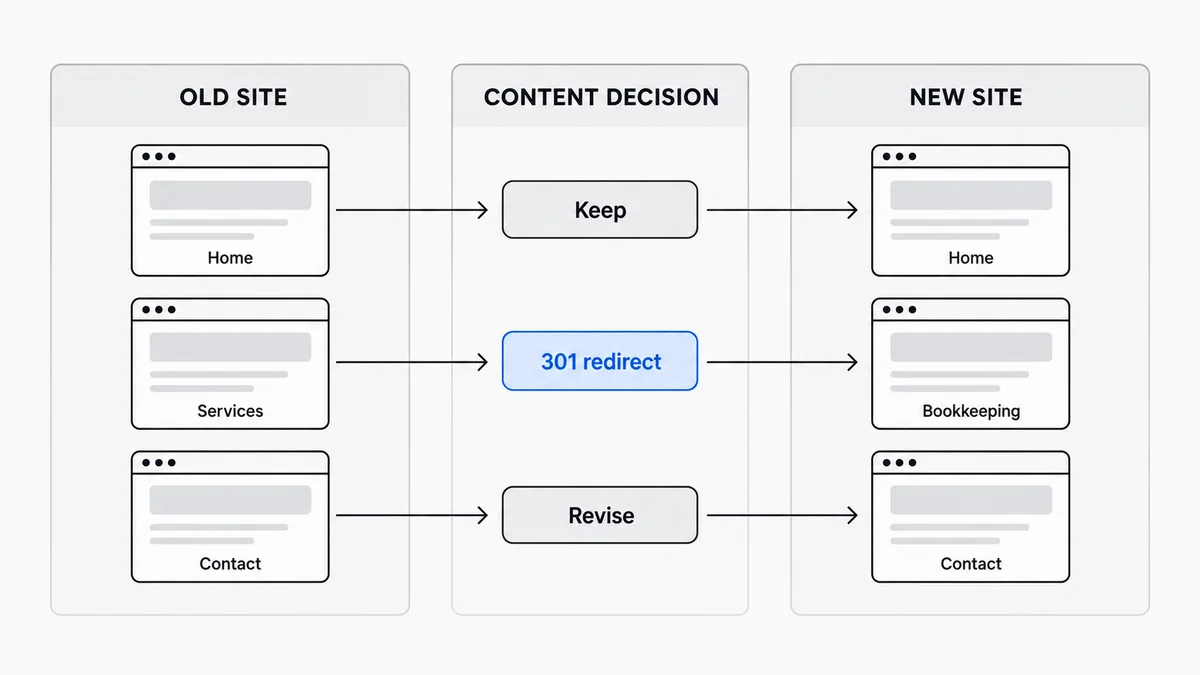
Give each item a decision: keep, revise, merge, or retire. A page with a useful answer but dated colours needs a design change. A page with an old price needs a factual review. A service page that still attracts qualified enquiries should not vanish merely because a new template has fewer sections. This inventory separates content decisions from the visual refresh.
Map old URLs to new destinations
Suppose /services/bookkeeping becomes /bookkeeping. Record that exact old-to-new pair and set a permanent redirect. If two older pages are merged into one useful guide, redirect each to the relevant new page. Do not send every retired URL to the home page; a visitor looking for bookkeeping would land somewhere that does not answer their question. Google's site-move guidance recommends mapping old URLs to their closest new destinations and testing the redirects.
Keep the new internal links, sitemap, and canonical URL aligned with the final address. If the URL does not need to change, leave it alone. A new font is not a reason to make every customer bookmark point somewhere else.
Let the design change without rewriting facts
Put shared type, colour, spacing, and buttons in the design files that already control them. Then inspect each page that uses those values. A redesign can change the reading order or reduce repetition, but it should not silently change a price, customer quote, address, product limit, or legal promise. Mark claims that need owner approval rather than asking an AI builder to fill the gap.
When an image moves, check its meaning as well as its crop. A product screenshot may need an updated caption and text alternative. The W3C accessibility review recommends checking headings, image alternatives, keyboard access, and form labels; a visual comparison alone will miss those.
Compare the old and new journeys
Open the old and new versions side by side at the same desktop width, then resize the new page to a phone width. For each important page, find the answer, follow the main action, submit a safe test form, and confirm the message reaches its intended inbox. Check names, prices, claims, image rights, and the new URL map. Ask someone who did not work on the redesign to find one service and contact the business without hints.
Keep the inventory and redirect map after launch. They make a later missing-page report easy to investigate, and they tell the next editor which wording was intentionally preserved.
AI website redesign
A launch page should make the buyer, promise, proof, and next action obvious. iter0 uses this same standard when it turns a brief or reference site into a builder-ready page.
Start your launch build