iter0
All templates

iter0 templates

Developer tool website templates

Lead with something that runs. An API gets a quickstart, a platform gets a deploy command, an editor tool gets a diff, a docs product gets code tabs and a desktop tool gets a download button. Pick the template closest to how developers meet your tool, then replace every sample with your own.

What a developer tool page puts on screen, in order

Put code, a terminal or a diff on the first two screens and keep the first action one click away. The sections after that cover production: access, logs, versions and moving over from another tool.

  1. Step 1

    A first screen with a way in

    The buyer asks: What is it, and how fast can I try it?

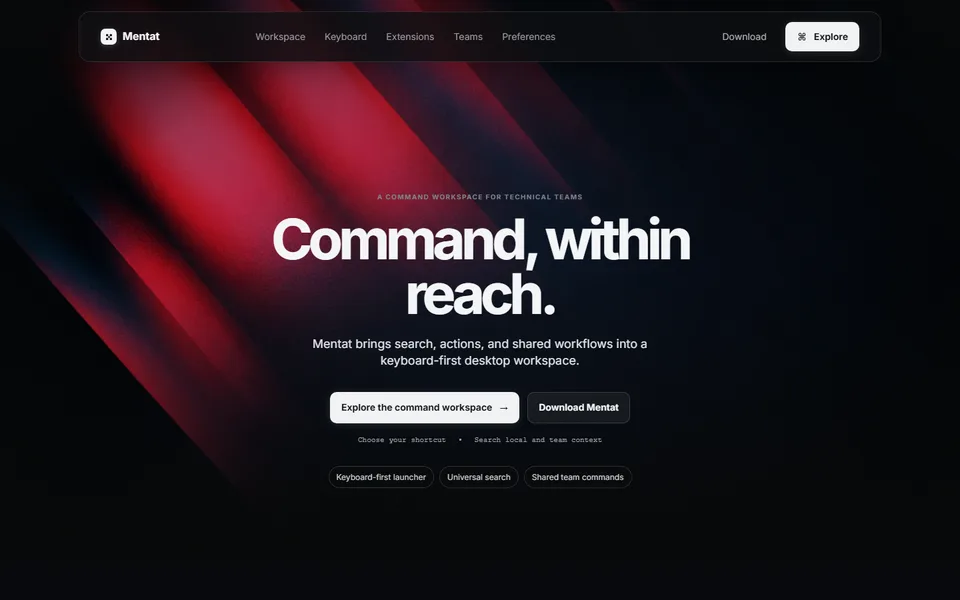
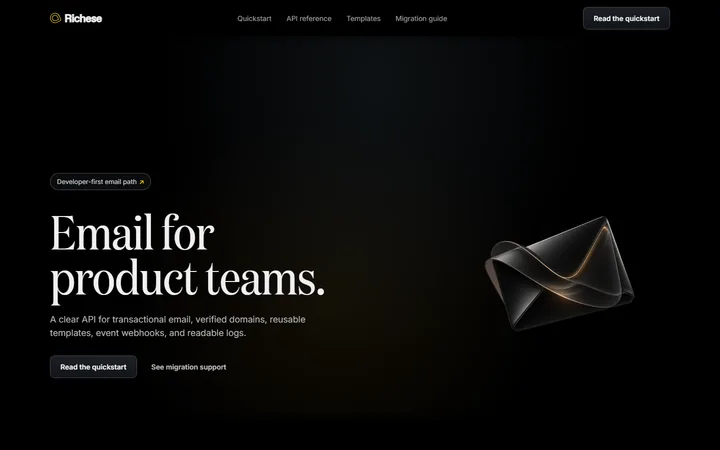
    Name the job in plain words and put the first action beside it: read the quickstart, deploy a sample, download the tool. Email API Website pairs its headline with Read the quickstart. Cloud Platform Website shows a terminal with a deploy command in the hero. Developer Tool Website leads with a download button.

    See it in the templates

  2. Step 2

    The tool running, in its own terms

    The buyer asks: What happens when I run it?

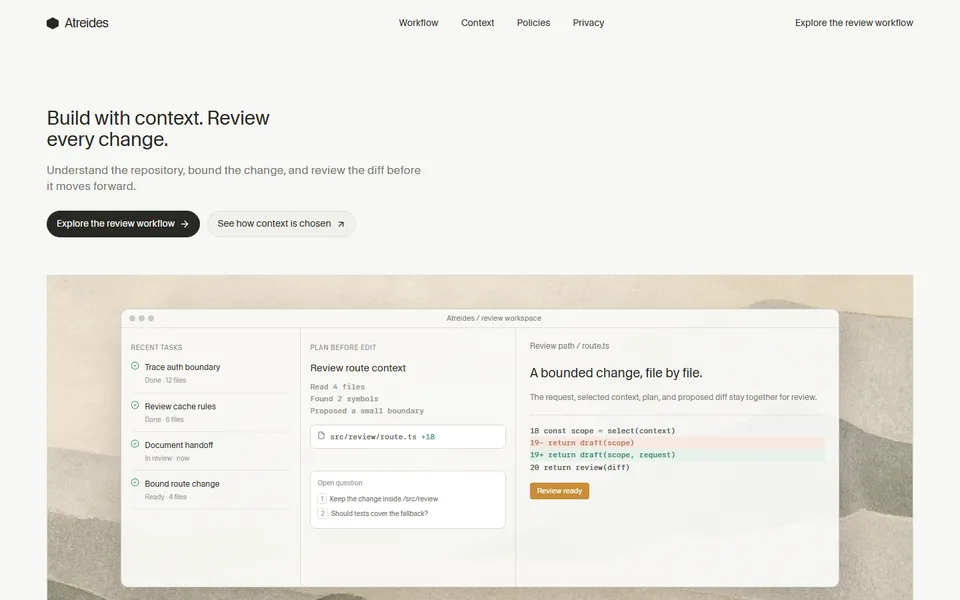
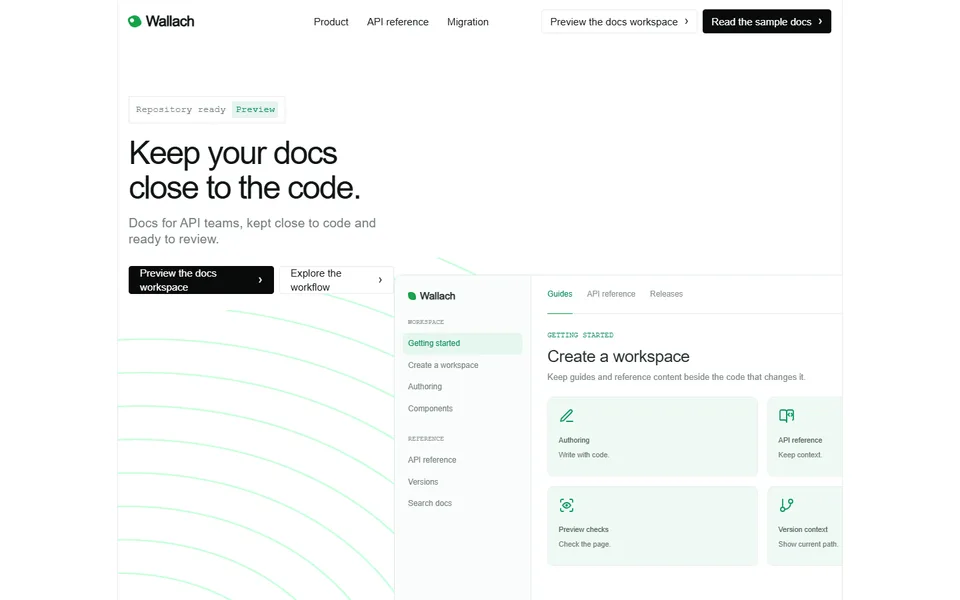
    Show the request and what comes back. Email API Website puts a send call beside the delivery event and the log entry it creates. Developer Documentation Website shows code tabs for cURL, JavaScript and Python. AI Coding Tool Website shows the change before it is made. Use your real endpoint and a real response, and run the code exactly as printed before you publish.

    See it in the templates

  3. Step 3

    The path from nothing to running

    The buyer asks: What are the steps, in order?

    Number the steps. Cloud Platform Website runs from connecting a repository to configuring a service to reviewing the preview. AI Coding Tool Website runs from choosing context to planning to reviewing a diff. Developer Documentation Website goes from repository to preview. Use as many steps as your product needs.

    See it in the templates

  4. Step 4

    Controls and access

    The buyer asks: Who can change what, and what gets logged?

    Keep the security checklist in one block. Cloud Platform Website has a Secure by default block with private networking, access controls, environment secrets, audit events, deploy approvals and service identity. AI Coding Tool Website has team boundaries and a review record. Developer Tool Website has a preferences section for what the launcher searches and what the team shares. List only the controls your product has.

    See it in the templates

  5. Step 5

    Logs, versions and failure

    The buyer asks: What happens when it breaks or changes?

    Show the bad day as well as the good one. Email API Website has a section for logs and suppression. Cloud Platform Website shows release evidence: build checks, preview access and the change record side by side. Developer Documentation Website gives versions a section of their own.

    See it in the templates

  6. Step 6

    A migration route

    The buyer asks: Can I move off what I use now?

    Tell developers how to leave the tool they use now. Email API Website lays out a four-step cutover: inventory the sends, map templates and domains, reconnect events, change the default. Developer Documentation Website covers a content inventory, route and version mapping, and component conversion.

    See it in the templates

Which developer tool template to use

Choose by where developers meet your tool: an API call, a deploy, an editor, a docs site or the desktop.

Email API Website template preview

Email API Website

Devtools

Fits when
You sell an API, and the quickstart and the event log are the proof.
What the page does
Quickstart code sits beside the response. Delivery events and logs, domain verification, templates, webhooks, suppression and a migration guide follow. The page ends on Read the quickstart.
Where it stops
It is built for a product with an API. An interface-first product fits Developer Tool Website.
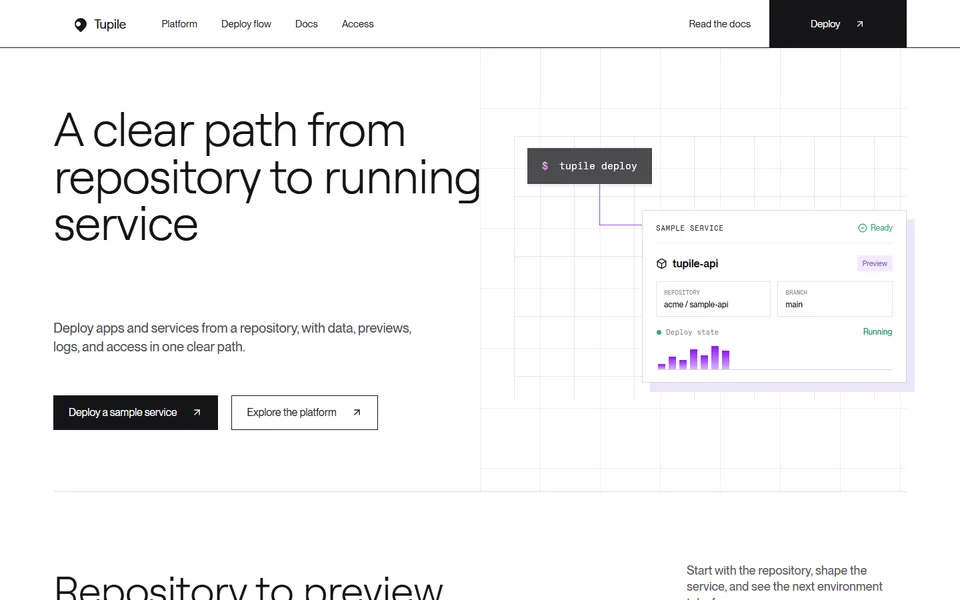
Cloud Platform Website template preview

Cloud Platform Website

Devtools

Fits when
You sell the place where code runs and want the path from repository to live service on screen.
What the page does
A deploy command in the hero leads into a three-step flow, then private networking and access controls, release evidence, a grid of infrastructure features and a secure-by-default block. It ends on Deploy a sample service.
Where it stops
It is a long page about infrastructure. A tool that lives in an editor fits AI Coding Tool Website.
AI Coding Tool Website template preview

AI Coding Tool Website

Devtools

Fits when
You sell an AI coding tool and need to show who reviews each change.
What the page does
It runs through context, plan and diff review, with Keep change and Request revision controls, team boundaries and a review record. It ends on Start reviewing.
Where it stops
It argues for control and leaves speed to your headline.
Developer Documentation Website template preview

Developer Documentation Website

Devtools

Fits when
You sell documentation tooling and want the rendered page on screen instead of a screenshot of an editor.
What the page does
It shows components such as callouts, code tabs, reference blocks and release blocks, then API reference samples, versions and search, preview checks and a migration path.
Where it stops
It covers authoring and review. A product developers call from code fits Email API Website.
Developer Tool Website template preview

Developer Tool Website

Devtools

Fits when
Your product is a desktop tool, and the pitch is speed and shortcuts instead of a long story.
What the page does
A launcher-style hero opens a short page: a keyboard-first section, extensions, shared team commands, quick actions and preferences. It ends on a download.
Where it stops
It has no quickstart and no API reference.

AI Coding Tool Website also works for an AI product: its Keep change and Request revision controls are the approval step.

AI product templates

Developer tool template questions

Can a developer tool page show real code?

Yes. Replace the sample with a call to your own API and the response it returns, then run it before you publish. The templates use placeholder keys and example domains, so swap those too.

Which template fits a tool people use through code, and which fits one they use through an interface?

For a tool used through code, start from Email API Website and lead with the quickstart. For a tool used through an interface, start from Developer Tool Website or AI Coding Tool Website and lead with the interface.

Where should pricing go on a developer tool page?

Next to the first action. If you have a free tier, state what it includes beside the quickstart or the deploy button.