
iter0
Back to templates

Devtools

Cloud Platform Website

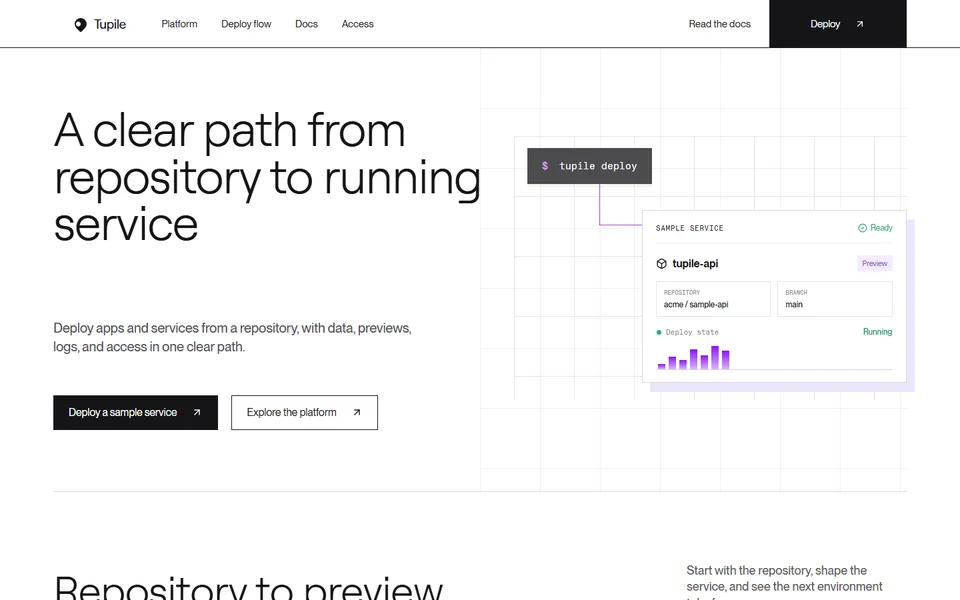
A product-led cloud platform template with repository deploys, preview environments, managed data, logs, release evidence, and visible access controls.

Best for

cloud application platforms, developer tools, hosting products, infrastructure startups

Start with this visual direction, then adapt the content to your business in the builder.

Use this template

Page flow

A clear path through the product story

The page follows a repository from connection to preview and running service. Managed data, logs, private networking, access controls and release checks appear in the same sequence a team would use them before the final deploy action.

What it communicates

Why this structure works

The product story mirrors the user's real work instead of presenting infrastructure as a feature wall. It communicates a clear deployment path, connected services and the controls needed before software reaches production.

How to adapt it

Make it about your business

  1. Replace the repository workflow with the actual steps to connect a repository or upload code to your platform.
  2. Trim the infrastructure grid to services you run today, such as managed databases, background workers or private networking.
  3. Rewrite the security controls and release checklist around the access roles, audit logs and checks your product provides.
  4. Point the deploy call to action at your sign-up page or quickstart guide.

What to bring

Prepare these before you build

  • Screenshots or recordings of a deploy, from connection to running service
  • The runtimes, frameworks and regions you support
  • Pricing for compute, data and bandwidth, or a link to it
  • Security and access features, plus any certifications you hold
  • Uptime or status information you already publish

The template sets the visual direction. Your own business details, brand, images and proof supply the content.

Cloud Platform Website template questions

What should a cloud hosting platform website include?

Engineering teams want to see the path from code to a running service, which runtimes and regions you support, how data and networking work, and what controls exist before production. This template follows a repository through preview and deployment, then covers infrastructure and security. Replace every sample service with ones you run, and link pricing clearly because cost is often the first question.

Can I use this template for a developer platform that is not hosting?

Yes. The step-by-step structure suits build tools, database services, CI products and internal developer platforms. Rename the deployment steps to your own workflow, adjust the infrastructure grid to your service areas and keep the release checklist if your product helps teams check work before it ships. If your product has no preview step, remove it from the repository workflow rather than describing one.

How do I show infrastructure reliability without making claims I cannot prove?

Describe the mechanisms rather than promising outcomes: how deploys roll back, where logs are kept, how access is controlled and where customers can check status. Only quote uptime figures you measure and publish. The security controls and release checklist sections are the place to describe those mechanisms. Ask an engineer who runs the platform to read that copy before launch.