
iter0
Back to templates

Devtools

Email API Website

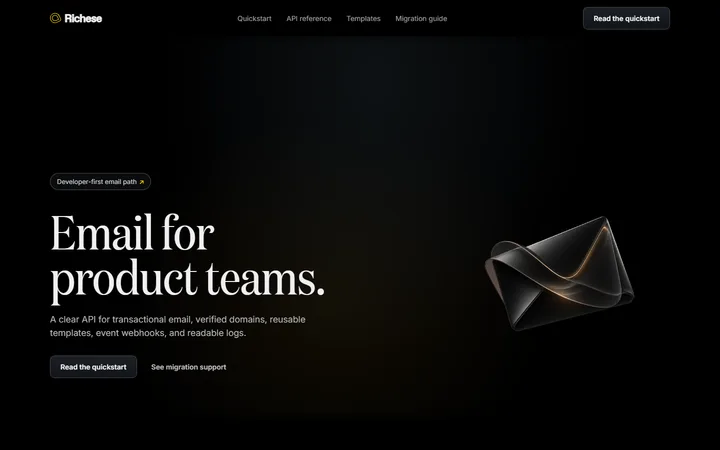
A dark developer-tool template with a focused material hero, concise quickstart, connected send and event proof, verified domains, templates, logs, and migration guidance.

Best for

transactional email APIs, messaging infrastructure, developer tools, communications platforms

Start with this visual direction, then adapt the content to your business in the builder.

Use this template
Download free

One HTML file that opens in any browser. No sign-up, no credits.

Page flow

A clear path through the product story

A dark product hero states the developer outcome and points straight to the quickstart. Code, event delivery, verified domains, templates, logs and migration guidance then show the complete path from first send to dependable operation.

What it communicates

Why this structure works

This page respects a technical buyer's need to see how the product behaves. It communicates a short route to implementation while still covering the events and controls a production email workflow depends on.

How to adapt it

Make it about your business

  1. Replace the quickstart code with a working example from your own SDK or REST API, in the language most of your users choose.
  2. Rewrite the event timeline with the delivery events your API emits, named as they appear in your API reference.
  3. Adjust the domain verification section to show the DNS records and steps your product requires.
  4. Rewrite the migration guide around the steps a customer takes to switch to you, and point the documentation call to action at your documentation.

What to bring

Prepare these before you build

  • A tested quickstart snippet and the SDK languages you support
  • Your event and webhook names, with an example payload
  • Domain setup steps, including the DNS records required
  • Sending limits, pricing tiers and any free allowance
  • Links to your API reference and status page

The template sets the visual direction. Your own business details, brand, images and proof supply the content.

Email API Website template questions

What should an API product website include?

Developers want to judge quickly whether the API fits their stack. Show a short, working code example near the top, explain the core objects or events, cover setup steps such as authentication or domain verification, and link directly to the documentation. This template follows that order for an email API. Every code sample should be copied from a version you have tested.

Can I use this template for a messaging or SMS API?

Yes. Replace the email-specific parts with your own equivalents: sender registration instead of domain verification, message templates for your channel and the delivery events your API reports. The dark developer hero, quickstart and event timeline work for most communications APIs. Keep the migration guide if customers often switch from another provider, and list the steps a switch involves, such as registering sender numbers and replacing API keys.

Should a developer tool homepage show code?

Usually, yes. A short, correct code sample tells a developer more about the product's design than several paragraphs of description. Keep it to the smallest useful example, such as sending one message, and link to fuller documentation. Paste your tested snippet into the page yourself, then check that its line breaks and indentation survive in the preview.