
iter0
Back to templates

Devtools

Developer Documentation Website

A documentation template with a visible workspace, reusable content patterns, API examples, version context, preview checks and practical migration guidance.

Best for

developer documentation, API platforms, knowledge tools, technical content products

Start with this visual direction, then adapt the content to your business in the builder.

Use this template

Page flow

A clear path through the product story

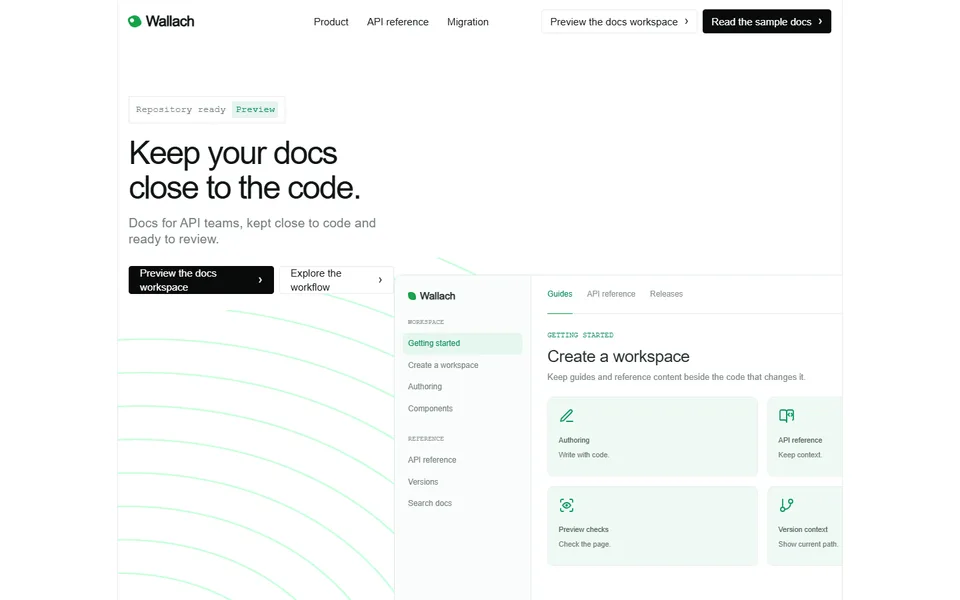
The hero pairs documentation with the codebase, then walks through workspace creation, reusable content, API references, versions and previews. Component examples and migration steps show both the authoring system and the rendered result.

What it communicates

Why this structure works

The page gives developers evidence before asking them to change their documentation process. It communicates how content is written, reviewed, versioned and moved without reducing the product to a polished docs screenshot.

How to adapt it

Make it about your business

  1. Replace the workspace preview with a screenshot of your authoring interface alongside the published page it produces.
  2. Rewrite the component catalogue with the content blocks your product supports, such as callouts, tabs, code groups or API playgrounds.
  3. Update the API reference examples and version controls to show how your product handles specifications and releases.
  4. Rewrite the migration steps for the formats you import from, such as Markdown files or an existing documentation repository.

What to bring

Prepare these before you build

  • Screenshots of the editor and the published documentation side by side
  • The list of supported content components and file formats
  • How your product handles API specifications, versions and previews
  • Migration steps and any import tools you provide
  • A link to a public documentation site built with your product, if its owner agrees

The template sets the visual direction. Your own business details, brand, images and proof supply the content.

Developer Documentation Website template questions

What should a documentation platform website include?

Technical writers and developers want to see both the authoring experience and the published result. Show how content is written, which components are available, how API references and versions are handled and what migration involves. This template pairs a workspace preview with a component catalogue, API examples, version controls and migration steps. In the workspace preview, show the editor and the published page side by side, so a reader can see what one edit produces.

Can I use this template for an API portal or knowledge base product?

Yes. The API reference examples and version controls suit developer portals, and the component catalogue works for knowledge base or help centre products. Rename the sections to match your terminology and replace the example pages with real output. If your buyers are support teams rather than developers, reduce the code examples and show search and article editing instead.

How do I convince teams to switch documentation tools?

Tell them what the move involves. Explain what can be imported, what has to be rebuilt and how long a typical migration takes, and show an imported page beside its original. This template ends with migration steps for that purpose. If redirects or custom components need manual work, say so and estimate the time, because the team will have to schedule that work.