
iter0
Back to templates

SaaS

Presentation Software Website

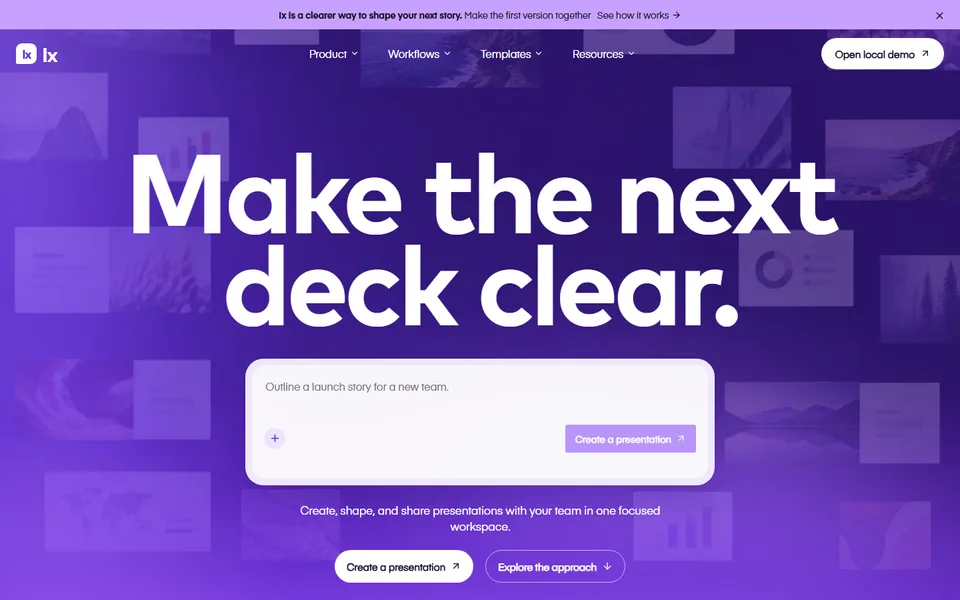
A presentation template with a clear starting prompt, slide and brand workflows, collaborative review, presenter tools, original editor imagery and a usable outline export.

Best for

presentation tools, creative collaboration, sales enablement, startup storytelling software

Start with this visual direction, then adapt the content to your business in the builder.

Use this template

Page flow

A clear path through the product story

A bold editor-led hero starts with the presentation outcome, then moves through creation, brand controls, collaboration and delivery. Toolkit features, working examples and team handoffs lead into a direct create-a-presentation action.

What it communicates

Why this structure works

The page connects creative freedom to a repeatable team process. It communicates that making slides, reviewing them and presenting the final story can happen inside one coherent workspace.

How to adapt it

Make it about your business

  1. Replace the editor-led hero with a screenshot of your own editor showing a finished, well-designed slide.
  2. Adjust the prompt input and creation workflow to show how a presentation starts in your product, whether from a prompt, a template or an import.
  3. Rewrite the brand kit and collaboration features around the controls you offer, such as locked fonts, shared themes, comments or approvals.
  4. Point the create call to action at your sign-up page or free plan.

What to bring

Prepare these before you build

  • Example decks made in your product, using fictional or permitted content
  • Screenshots of the editor, brand settings and review comments
  • Export formats and presenting options you support
  • Plan names, prices and team limits
  • Integrations and file formats you import from

The template sets the visual direction. Your own business details, brand, images and proof supply the content.

Presentation Software Website template questions

What should a presentation software website include?

Show finished slides early, because visitors judge presentation tools by their output. Then explain how a deck starts, how brand consistency is kept, how teams review work and what presenting or export options exist. This template follows that sequence from an editor-led hero to a create action. Replace every sample slide with real work made in your product, with permission for any content shown.

Can I use this template for a design or creative collaboration tool?

Yes. The brand kit and collaboration sections suit design tools, content production platforms and whiteboard products. Rename the presentation toolkit to your own feature set, and swap the sample decks for the boards, documents or designs your product creates. Keep the prompt input only if your product really starts from a prompt; otherwise show your actual starting point.

How do I show collaboration features on a SaaS landing page?

Show a single piece of work with several people involved: a comment thread, a suggested change and an approval, all in one screenshot or short sequence. That is easier to understand than a list of features. This template's collaboration section is built for that kind of example. Use invented names in the interface, and describe only the review features your product has.