
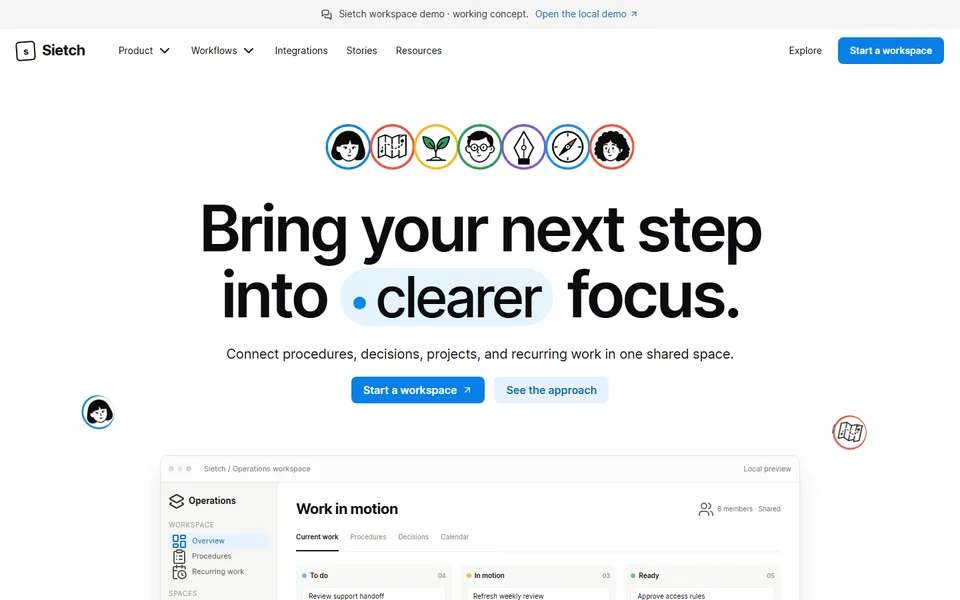
iter0
Back to templates

SaaS

SaaS Workspace Landing Page

A clear workspace template connecting procedures, projects, meeting decisions and recurring work, with interactive product examples and colourful visual storytelling.

Best for

team workspaces, knowledge tools, operations platforms, collaboration software

Start with this visual direction, then adapt the content to your business in the builder.

Use this template

Page flow

A clear path through the product story

The page starts with a simple promise and a visible workspace, then connects procedures, projects, decisions and recurring work. Practical examples show how information moves between teams before the page ends on starting a shared workspace.

What it communicates

Why this structure works

The structure gives a flexible product a specific job to do. It communicates continuity across meetings, handoffs and daily work, helping a visitor understand the product before they need to understand every feature.

How to adapt it

Make it about your business

  1. Replace the workspace preview with a screenshot of your product filled with realistic sample content, not an empty state.
  2. Rewrite the use-case cards around the three teams or jobs that use your product most.
  3. Change the handoff examples and meeting workflow to a sequence your customers follow, such as a request moving from intake to done.
  4. Point the signup call to action at your free trial or waitlist page.

What to bring

Prepare these before you build

  • Screenshots of your workspace with believable sample projects, documents or tasks
  • The main teams or roles that use the product, and the job each one does in it
  • One end-to-end example of work moving between people
  • Plan names, trial length and what each plan includes
  • Customer quotes or logos you have written permission to show

The template sets the visual direction. Your own business details, brand, images and proof supply the content.

SaaS Workspace Landing Page template questions

How do I explain a flexible SaaS product on one landing page?

Pick one or two specific jobs and show them fully instead of listing everything the product can do. Visitors understand a flexible tool faster through a concrete example, such as a meeting decision becoming a tracked task. This template structures the page around use-case cards and handoff examples for that reason. Other capabilities can be linked from the page rather than explained on it.

What should a team collaboration software website include?

Show a populated workspace, explain who uses it and how information moves between people, and make it easy to start. Buyers also want to know how search, sharing and permissions work. This template covers the workspace preview, knowledge search, handoffs and a meeting workflow before the signup call to action. Answer the permissions question in words as well as screenshots: who can see a page, who can edit it and whether guests can join.

Can I use this template for an internal tool or knowledge base product?

Yes. The knowledge search and handoff sections suit wikis, internal documentation, operations tools and project software. Rename the use-case cards to the departments you serve and replace the sample procedures with anonymised examples from your product. If you sell to larger organisations, change the signup call to action to a demo request and add a short note about the access controls you support.