
iter0
Back to templates

HR Tech

HR Software Website

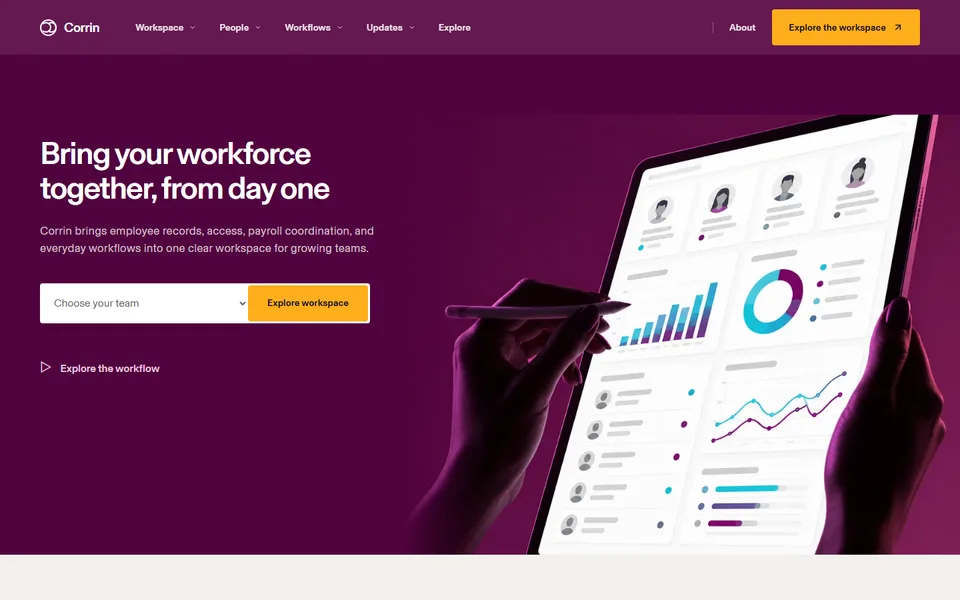
A colourful workforce software template connecting employee records, onboarding, permissions, payroll inputs, reporting, and everyday operational tasks.

Best for

HR software, workforce management, employee operations, payroll and IT platforms

Start with this visual direction, then adapt the content to your business in the builder.

Use this template

Page flow

A clear path through the product story

The hero presents one connected workforce workspace, then the page groups the product around people, lifecycle, payroll, devices, expenses and reporting. Role-change examples and cross-team handoffs show how those modules work together in practice.

What it communicates

Why this structure works

This layout prevents a broad HR platform from reading like disconnected software. It communicates that employee context can carry across teams, making operational changes easier to understand and act on.

How to adapt it

Make it about your business

  1. Reduce the product category tabs to the modules you sell, such as onboarding, payroll inputs or device management.
  2. Replace the employee record demo with an anonymised screenshot from your own product, using fictional names.
  3. Rewrite the workflow handoffs around one real event, such as a new hire or a role change, and show which teams it touches in your product.
  4. Point the resource cards at your help centre, guides or security documentation.

What to bring

Prepare these before you build

  • Anonymised product screenshots using fictional employee data
  • The list of modules and which ones are included in each plan
  • Integrations with payroll, accounting or identity systems that are live today
  • The countries or regions you support for payroll or compliance features
  • How employee data is stored, accessed and protected, in approved wording

The template sets the visual direction. Your own business details, brand, images and proof supply the content.

HR Software Website template questions

What should an HR software website include?

HR and operations buyers want to see which parts of the employee lifecycle you cover, how data moves between those parts and how access is controlled. This template groups the product into category tabs and a feature grid, then shows an employee record and a cross-team handoff. Use fictional names in every screenshot, and list only the regions and integrations you support today.

How do I present an all-in-one HR platform without overwhelming visitors?

Group features by the job they support rather than listing them all at once, then show one real event moving through the system, such as onboarding a new starter. The category tabs and workflow handoff sections in this template are designed for that. Keep less important modules to a short line with a link to a separate page or to your documentation.

Can I use this template for payroll or IT management software?

Yes. Rename the category tabs and feature grid around payroll runs, device provisioning or app access, and replace the employee record demo with the screen your customers use most. Payroll and tax rules differ by country, so name each country you run payroll in rather than writing 'global payroll', and list the device types you manage.