
iter0
Back to templates

SaaS

Scheduling SaaS Website

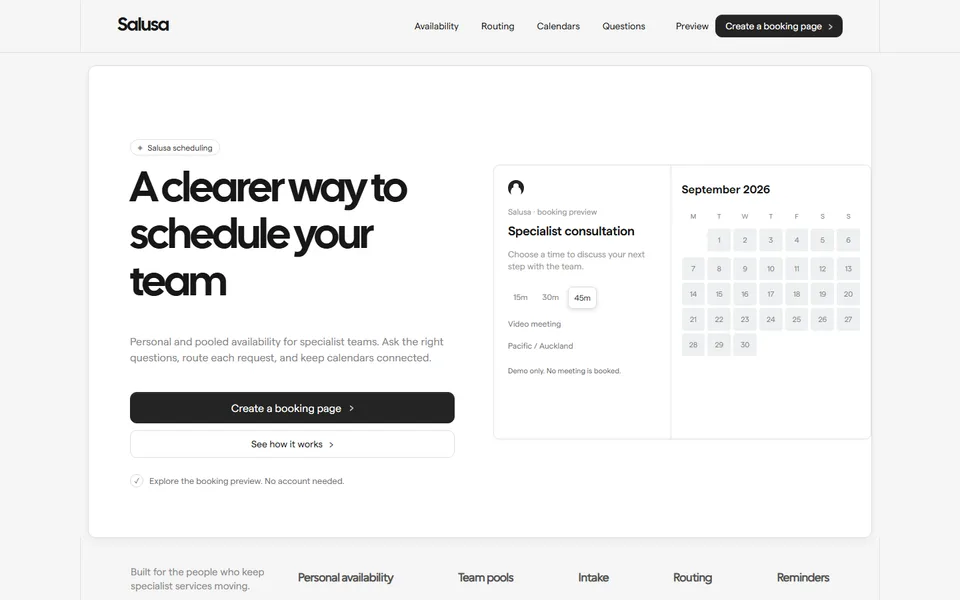
A scheduling template with a usable local date-and-time preview, personal availability, team pools, intake routing, calendar contexts and clear setup guidance.

Best for

scheduling software, professional services, specialist teams, appointment platforms

Start with this visual direction, then adapt the content to your business in the builder.

Use this template

Page flow

A clear path through the product story

A working scheduling example leads the page, followed by calendar connection, availability and meeting choices. Team pools, intake questions, routing and administration expand the story before common setup questions and a booking-page call to action.

What it communicates

Why this structure works

The flow lets visitors experience the outcome before reading the system behind it. It communicates that individual availability and team routing can work together without making the booking experience feel complicated.

How to adapt it

Make it about your business

  1. Replace the sample meeting types in the interactive booking hero with your own, including their durations and descriptions.
  2. Rewrite the setup steps to match how a new customer connects calendars and sets availability in your product.
  3. Adjust the team scheduling and routing features to the pooling, round-robin or intake rules you support.
  4. List only the calendar and video providers you integrate with in the calendar connections section.

What to bring

Prepare these before you build

  • Screenshots of your booking page, availability settings and admin view
  • The calendar, video and CRM integrations that are live today
  • Plan names, prices and any seat or booking limits
  • An example routing or intake setup for a typical customer
  • Answers to the setup questions new customers ask most

The template sets the visual direction. Your own business details, brand, images and proof supply the content.

Scheduling SaaS Website template questions

What should a scheduling software website include?

Show a booking page first, then explain how availability, team pools and routing work behind it. Visitors also check which calendars and video tools you connect to, and what stops a double booking when someone adds an event elsewhere. This template opens with an interactive booking example for that reason. List each calendar integration in the calendar connections section with one line on how it syncs, rather than a strip of logos.

Does the booking preview in this template take real appointments?

No. The date and time picker is a local demonstration of how the booking experience looks. It does not connect to a calendar or save bookings. To take real appointments, link the call to action to your scheduling product, or embed its booking widget, and make a test booking from start to finish before launch.

Can I use this template for a service business that takes bookings?

Yes, if booking is the main thing visitors come to do. Clinics, tutors, consultants and studios can use the interactive hero to show appointment types and prices, and repurpose the routing section to explain which service suits which client. Remove the team administration detail if you work alone, and connect the booking call to action to the tool you already use.