
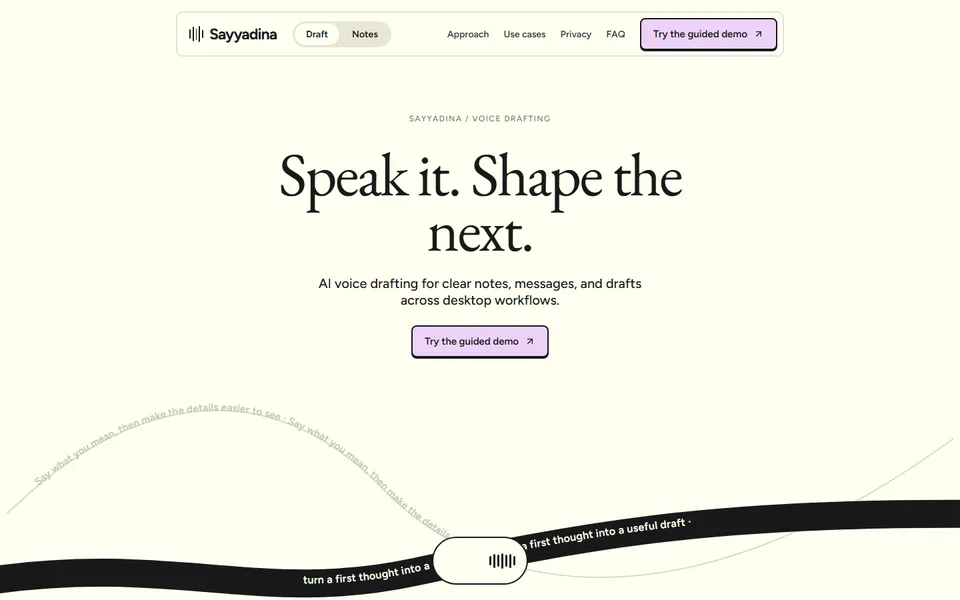
iter0
Back to templates

AI Apps

Voice AI Product Website

A warm voice-product template with an image-led capture story, editing and vocabulary controls, varied draft examples, privacy choices and a guided local demonstration.

Best for

voice AI, dictation tools, writing assistants, communication and productivity software

Start with this visual direction, then adapt the content to your business in the builder.

Use this template

Page flow

A clear path through the product story

The page starts with the act of speaking, then shows how a rough thought becomes notes, messages or documents. Editing, vocabulary, language and privacy controls build confidence before a guided local demonstration.

What it communicates

Why this structure works

This approach makes an unfamiliar input method feel practical and personal. It communicates where voice fits into everyday work while keeping the user's ability to inspect and shape the draft at the centre.

How to adapt it

Make it about your business

  1. Replace the capture story with a short recording or transcript of someone speaking into your product and the draft it produced.
  2. Rewrite the draft examples around the situations your users dictate in, such as emails, meeting notes or support replies.
  3. Update the editing controls and vocabulary features to match the settings your product has, including supported languages.
  4. Rewrite the privacy choices section from your data policy: where audio is processed, how long it is kept and who can access it.

What to bring

Prepare these before you build

  • Audio or video clips of the product in use, with consent from anyone recorded
  • Before-and-after examples of spoken input and the finished draft
  • Supported languages, apps and devices
  • Your audio processing, storage and retention policy
  • Pricing, plans and trial details

The template sets the visual direction. Your own business details, brand, images and proof supply the content.

Voice AI Product Website template questions

What should a voice AI product website include?

People need to see and hear spoken input become useful output. Show a real example of speech turning into a draft, explain how users edit and correct it, list supported languages and apps, and state clearly how audio is processed and stored. This template gives each of those a section, ending with a guided demonstration rather than a sweeping accuracy claim.

How do I explain privacy for a voice or dictation app?

Be specific: say whether audio is processed on the device or on servers, how long recordings and transcripts are kept, whether they are used to train models and how users delete them. This template includes a privacy choices section for those answers. Take each answer from your published privacy policy, so the page and the policy say the same thing.

Can I use this template for an AI writing assistant?

Yes. The capture story and draft examples work for writing assistants, note-taking tools and meeting summarisers as well as dictation apps. Replace speech input with whatever your users start from, such as rough notes or a recording, and keep the editing controls section to show how they stay in charge of the final text. Adjust the guided demo to your real onboarding.